
Positioning Widgets on Screen in Fortnite
You position widgets on the screen with the canvas widget by adding widgets to its canvas slots.
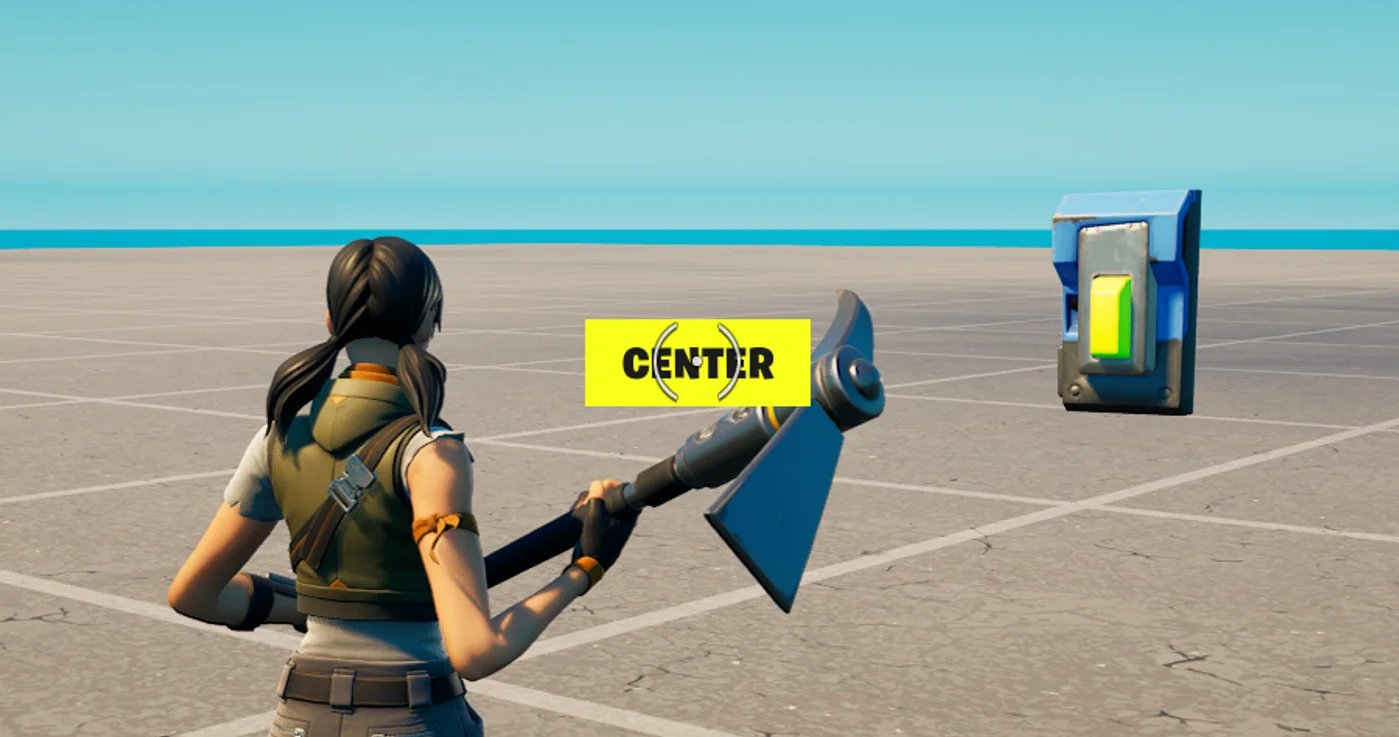
The following code is an example of a canvas widget that will display the text "Center" on a button in the middle of the screen.
|  |  |
| --- | --- |
|  | using { /Fortnite.com/Devices } |
|  | using { /Verse.org/Simulation } |
|  | using { /UnrealEngine.com/Temporary/UI } |
|  | using { /Fortnite.com/UI } |
|  | using { /UnrealEngine.com/Temporary/SpatialMath} |
|  |  |
|  | hello_world_device := class(creative_device): |
|  |  |
|  | # Set the Button device in the Editor to reference the device in the level |
|  | @editable |
|  | MyButton : button_device = button_device{} |
|  |  |
|  | # A localizable message to display as text in the UI |
|  | TextForMyUI<localizes> : message = "Center" |
|  |  |
|  | # A mapping between the Player and the widget that may have been added to their UI |
|  | var MaybeMyUIPerPlayer : [player]?canvas = map{} |
|  |  |
|  | # Runs when the device is started in a running game |
|  | OnBegin<override>()<suspends> : void = |
|  | MyButton.InteractedWithEvent.Subscribe(HandleButtonInteraction) |
|  |  |
|  | # A custom UI can only be associated with a specific player, and only that player can see it |
|  | HandleButtonInteraction(Agent : agent) : void = |
|  | # Agents can be a player or AI, but you can only get the UI of a player |
|  | # so you must cast the Agent, who interacted with the Button device, to the player type |
|  | if (InPlayer := player[Agent], PlayerUI := GetPlayerUI[InPlayer]): |
|  | if (MyUI := MaybeMyUIPerPlayer[InPlayer]?): |
|  | PlayerUI.RemoveWidget(MyUI) |
|  | if (set MaybeMyUIPerPlayer[InPlayer] = false) {} |
|  | else: |
|  | NewUI := CreateMyUI() |
|  | PlayerUI.AddWidget(NewUI) |
|  | if (set MaybeMyUIPerPlayer[InPlayer] = option{NewUI}) {} |
|  |  |
|  | # A canvas widget that displays a button with the text "Center" in the middle of the screen |
|  | CreateMyUI() : canvas = |
|  | MyCanvas : canvas = canvas: |
|  | Slots := array: |
|  | canvas_slot: |
|  | Anchors := anchors{Minimum := vector2{X := 0.5, Y := 0.5}, Maximum := vector2{X := 0.5, Y := 0.5}} |
|  | Offsets := margin{Top := 0.0, Left := 0.0, Right := 0.0, Bottom := 0.0} |
|  | Alignment := vector2{X := 0.5, Y := 0.5} |
|  | SizeToContent := true |
|  | Widget := button_loud{DefaultText := TextForMyUI} |
|  |  |
|  | return MyCanvas |
You're reading a preview
The full reference is free for BrainDeadGuild Discord members — sign in to read it all, or open the original at the source.
Sign in with your BrainDead.TV / BrainDeadGuild Discord account for full access.