VerseIsland
Feed Learn Leaderboard Guides Explore Search Docs Verse Library
Sign in
Feed Learn Leaderboard Guides Explore Search Docs Verse Library
Fortnite › Devices · Up to Fortnite · Devices · 52 of 1369 in Devices
Browse Fortnite

Stronghold 02 Add Devices in Unreal Editor for Fortnite

This section will show you how to set up the devices that drive this gameplay.

This tutorial uses the following devices:

  • 4 x Player Spawners
  • 7 x Guard Spawners
  • 1 x Tracker
  • 2 x HUD Messages
  • 1 x Item Granter
  • 3 x End Games
  • 1 x Map Indicator

Player Spawner Device
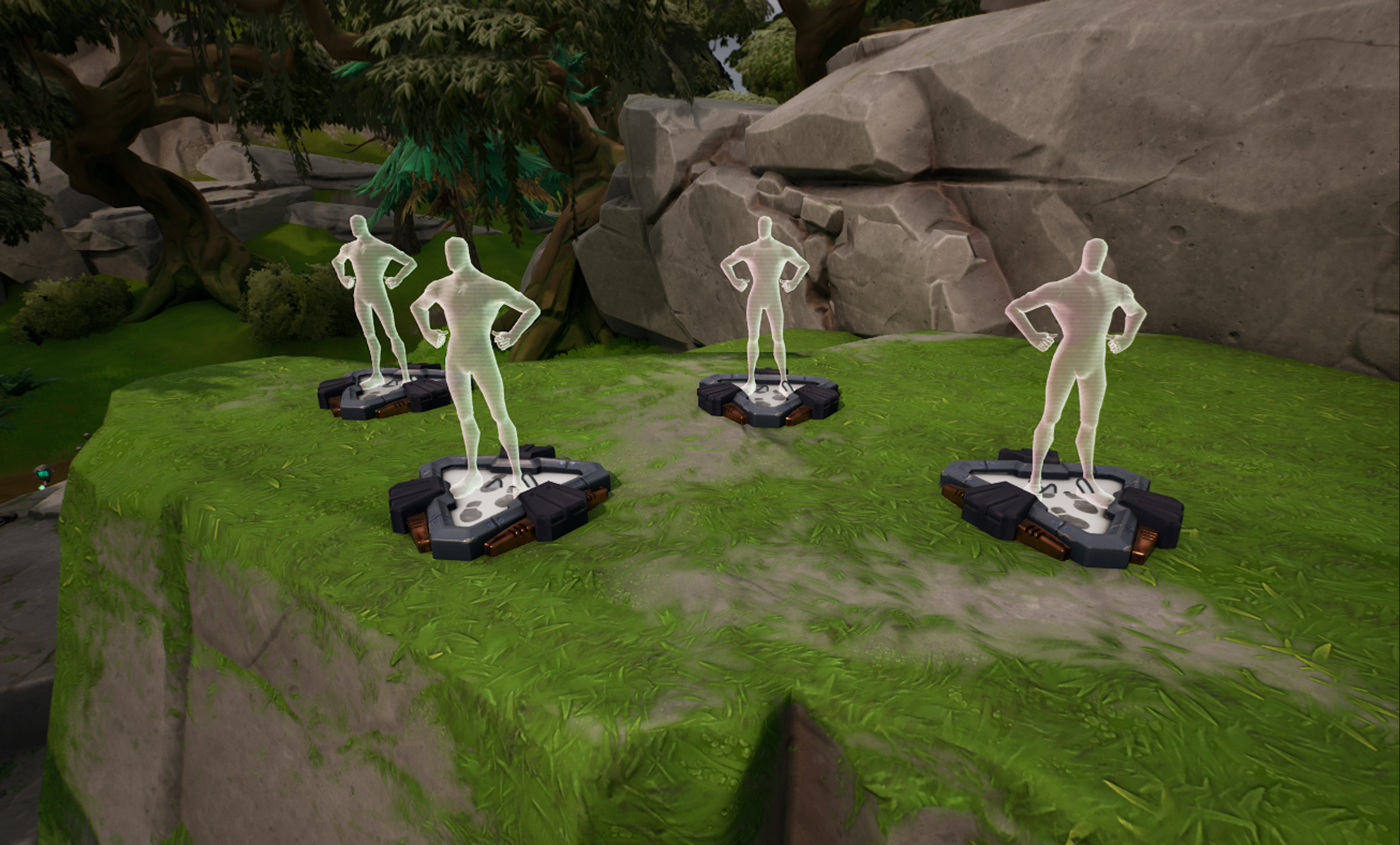
Player Spawner

Build a stronghold and place four Player Spawner devices. Position these devices 80 meters away from the stronghold to avoid having players detected when starting the game mode.

You're reading a preview

The full reference is free for BrainDeadGuild Discord members — sign in to read it all, or open the original at the source.

Sign in with Discord — free for members Read the original at Epic Games

Sign in with your BrainDead.TV / BrainDeadGuild Discord account for full access.

Comments

    Sign in to vote, comment, or suggest an edit. Sign in
    📄
    Source
    Epic Games

    © Epic Games. Official Epic developer documentation, shown here as a reference with a link to the original. All rights remain with Epic Games. Terms ↗

    View original Sources & licensing
    Request removal
    Last updated Feb 11, 2026
    Keep exploring
    More in Devices · 52 of 1369
    Prev
    stat powerup device design examples in fortnite
    Next
    stronghold 03 add verse script to devices in unreal editor for fortnite
    Browse all files in this folder (A–Z)
    Next up
    • This tutorial uses the following devices:
    • This tutorial uses the following devices:
    • This tutorial uses the following devices:
    • This tutorial uses the following devices:
    • ces:
    • te-creative.md)
    Related topics
    • Using Map Indicator Devices In Fortnite Creative Devices
    • Verse Stronghold Template 4 Add Devices In Unreal Editor For Fortnite Devices
    • Exploring The Content Browser Menu In Fortnite Creative Ui
    • Prop Hunt 09 Configuring The Informative Devices In Unreal Editor For Fortnite Devices
    • Box Fight 3 Add Devices In Unreal Editor For Fortnite Devices

    Related

    Open in graph →

    Linked docs

    • Using Player Spawn Pad Devices In Fortnite Creative
    • Using Guard Spawner Devices In Fortnite Creative
    • Using Tracker Devices In Fortnite Creative
    • Using Hud Message Devices In Fortnite Creative
    • Using Item Granter Devices In Fortnite Creative
    VerseIsland · an archipelago of Verse & UEFN knowledge
    Learn Guides History About & Press Sources & Licensing Status

    Not affiliated with Epic Games. Fortnite, UEFN, Unreal Engine, and Verse are trademarks of Epic Games, Inc. Content is attributed to its source — see Sources & Licensing.