
Using UFO Spawner Devices in Fortnite Creative
A UFO Spawner is a device that spawns a UFO vehicle onto your island at the spawner's given location and orientation.
- Use UFO Spawner devices in combination with the Race Checkpoint Device to design a racing game for your players.
- You can place a player directly inside the UFO using a trigger.
Finding and Placing the Device
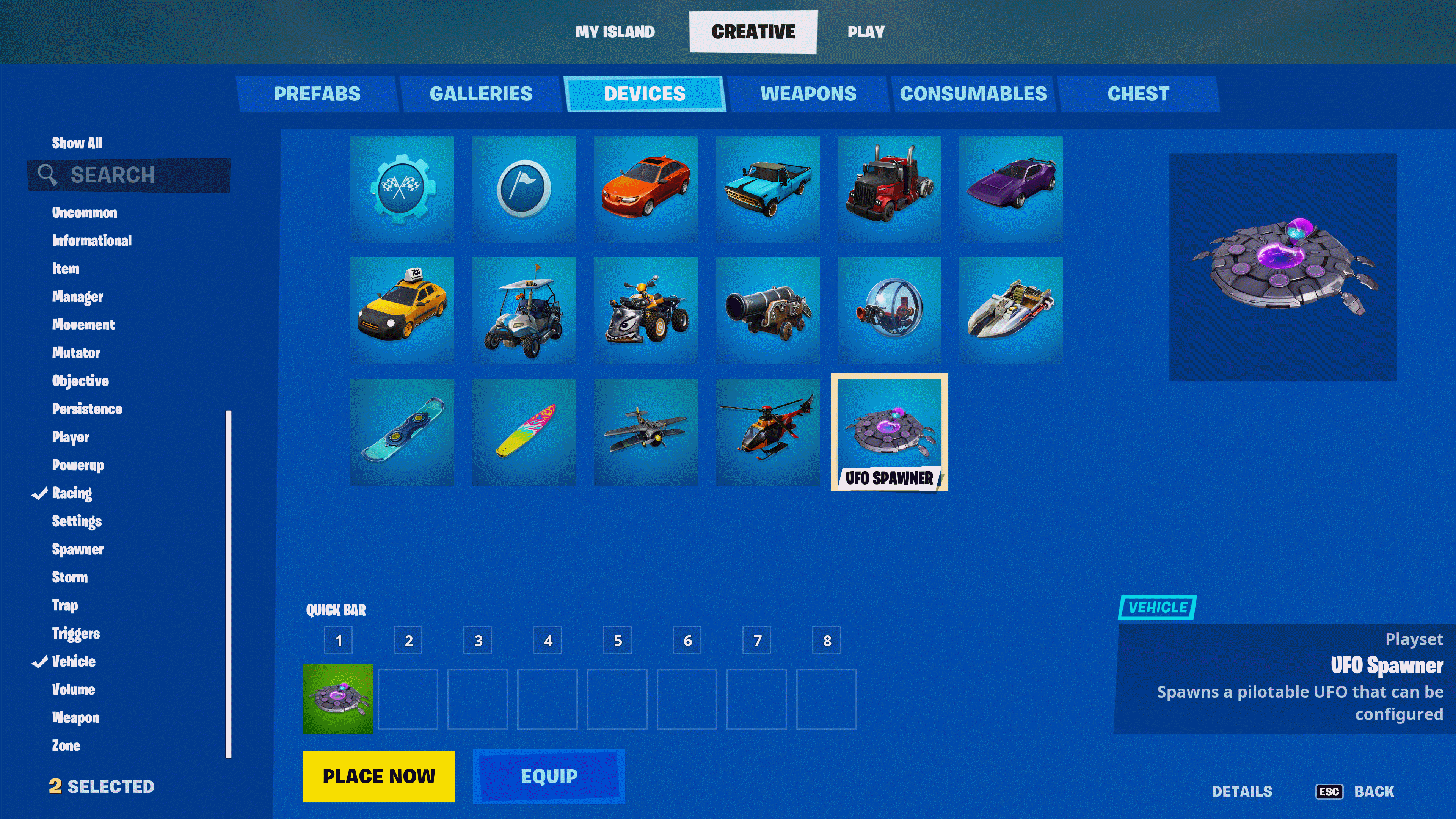
Click image to enlarge.
- From Create mode, press the Tab key to open the CREATIVE inventory screen.
- Click the DEVICES tab and scroll to select the device. You can also use the Search box or the Categories panel on the left to find your device.
- Click PLACE NOW to place immediately, or put the device in the QUICK BAR to place later.
- Press Esc to return to your island in Create mode. Use your phone tool to position the device, then left-click to place it. Press Esc to detach the device from your phone.
- Point at the base of the device with your phone. If the CUSTOMIZE popup doesn’t open immediately, move closer until it does, then press E to open the CUSTOMIZE panel.
You're reading a preview
The full reference is free for BrainDeadGuild Discord members — sign in to read it all, or open the original at the source.
Sign in with your BrainDead.TV / BrainDeadGuild Discord account for full access.